Bill approvals.
The brief was payment approval for the US. I made the case for bill approval in every region, and that’s what we built.
MY ROLE
Design lead, research to beta
WITH
A PM, an eng lead and their team, two researchers
WHEN
May – Oct 2026
STATUS
In beta since Sep 2026
My impact
I made the call to build bill approval first, and leadership backed it over the original brief.
I shipped around 25 PRs, so the polish went out at launch.
It reached beta in every region, on an engine built for payments, payroll and expenses next.
The problem
Bill approval has long been a top customer request. Because Xero had no built-in checks, businesses paid for third-party apps to control approvals. As a result, many bills weren’t tracked in Xero, creating a missed opportunity for cash flow insights.
“It’s just a psychological thing for me. If it’s in Xero, it’s good to pay. If it’s not in Xero, it’s not good to pay.
Small business owner, AU · research round 2
Before. Approval happened outside Xero.
Bill
Chase approver
Sign off by email
Pay
With approval rules. Approval happens in Xero.
Bill
Auto-routed
Approved, on record
Pay
The challengeHow do we make approvals simple to set up, yet able to handle complex businesses?
The brief
We were a payments platform team, so we were asked to build a payment approval flow for US customers.
Before I joined, the team tested the concept and customers couldn’t follow it. Bills already had a basic approval status with no rules, so a second approval on the payment looked like the same step. In round 1, all five participants mistook it for bill approval.
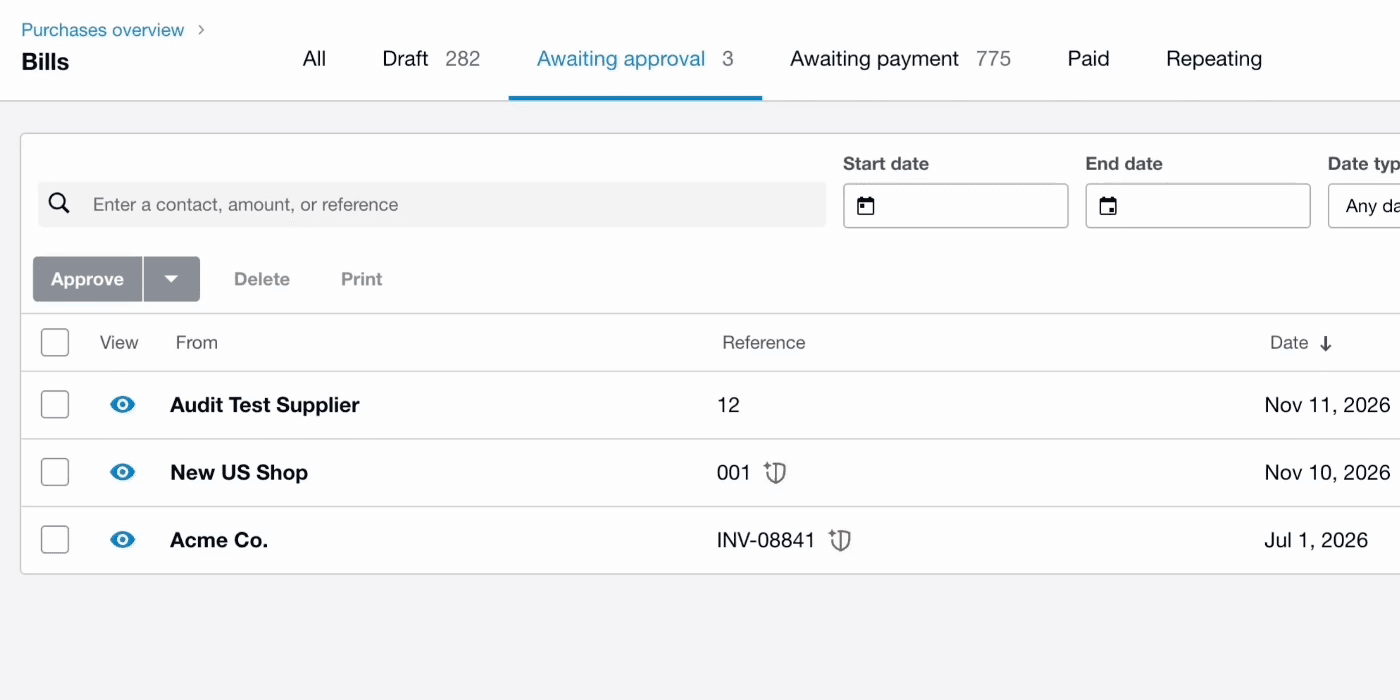
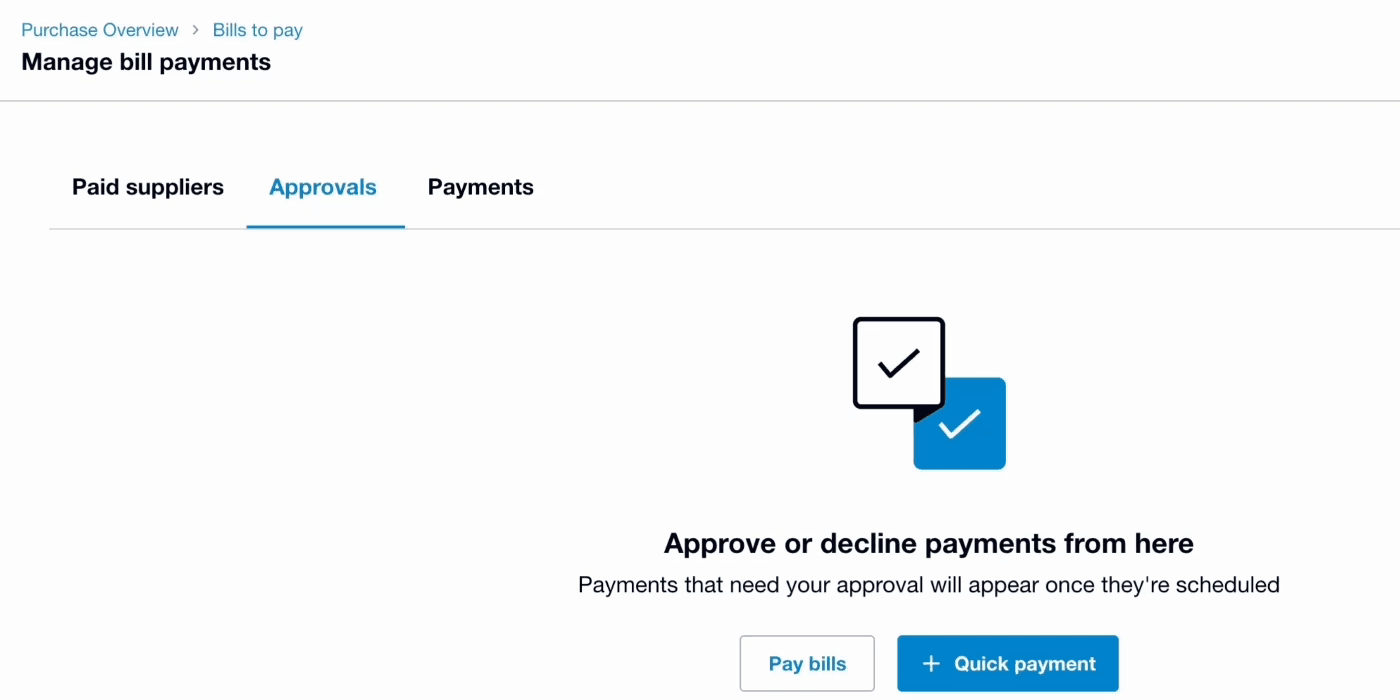
When I joined, we ran a second round with 11 customers across the US, UK, and AU. It confirmed these are two different jobs: build bill approval first, then payment approval on the same engine.
One approver
“Is this bill legit?”
“Should we pay it now?”
One approval answers both. Typically the owner signs off what the bookkeeper prepared.
Separated duties
Bill approval answers the first
When the bill arrives, someone who knows the purchase, often the bookkeeper, confirms it’s real and correct.
Payment approval answers the second
Finance batches bills by due date. A senior approver, often the CFO, signs off the payment.
Decision 1 · What to build
I proposed to build the rule engine starting with bill approval. It sits earlier in the funnel, captures more bills and usage, and works in all regions. The same system could later support payment approval, payroll, and expenses.
The PM and lead engineer disagreed, saying bills weren’t our team’s responsibility. But I argued the customer problem crossed team boundaries, and building only payment approval would confuse users.
In March, I presented the case to the GMs of product, engineering, and design, backed by research, and they agreed, opening the PRD with this approach.
What that changed
- Where
- The brief: US only
- What we built: Every region
- What
- The brief: A payment gate
- What we built: Bill approval
- Built as
- The brief: One feature
- What we built: One engine, four uses
The four uses are bills, payments, payroll and expenses. Bills is the one in beta; the others are planned on the same engine.
Decision 2 · How simple
Simple by default, open to complex. We tested both ends before landing in between.
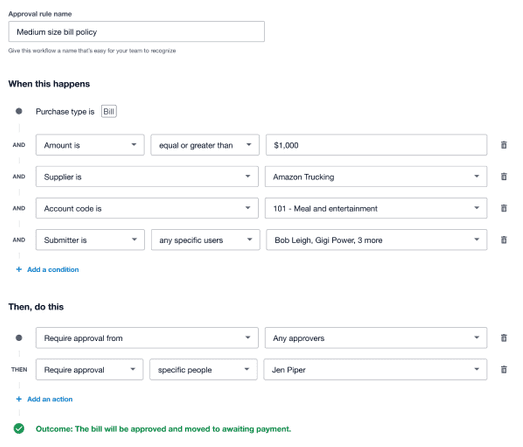
Tested first
Too simple
A Melio-style if/then form. Clear, but it couldn’t express how bigger businesses approve: a department head under one amount, the finance director above it, the CEO on anything legal.
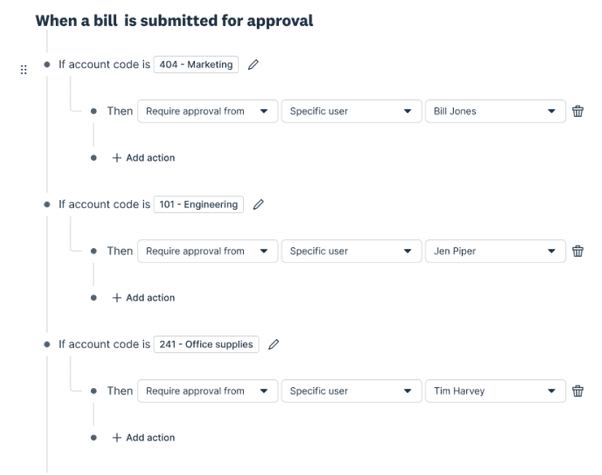
Tested second
Too complex
A Ramp-style nested builder. I vibe-coded a working prototype, so customers could set up their real workflows without spending engineering time. Five customers hit nine usability problems, and it didn’t feel like Xero.
What we built
Short rules that stack
Each rule is one sentence: if the amount is over this, ask these people. When a bill matches several rules, their approvers add up into one chain. That covers most multi-approver cases with no nesting, and it tested well in round 4.
What we gave up: no nested OR groups in v1, so a few high-end customers will hit a ceiling.
Decision 3 · When no rule matches
Every policy needs a catch-all. If a bill can slip through, nobody trusts the system. All policies must have a default rule, and it can’t be deleted.
What if a bill matches more than one rule?
A bill can match more than one approval rule (say, “bills over $5,000” and “bills from marketing”). When that happens, both rules apply: the first rule’s approvers go, then the second’s. If the same person is in both, they’re only asked once.
Two internal specs gave different answers to that question. I noticed the conflict and got it settled with the eng lead before engineering built either version.
Raising the ceiling
Designing in the code. I built the front end, and worked with engineering to connect it to the rule engine and the bills domain.
Engineering set up the guardrails first. They scaffolded the screens from Figma and added rules, tests and conventions, so my code matched theirs.
I put up around 25 PRs. I built the front end with Claude, swapped in the right design-system components and tokens, and added the motion. I raised and tested my own tickets.
The polish shipped at launch. It usually waits until after. The sales payments team picked up the same setup afterwards.
The work
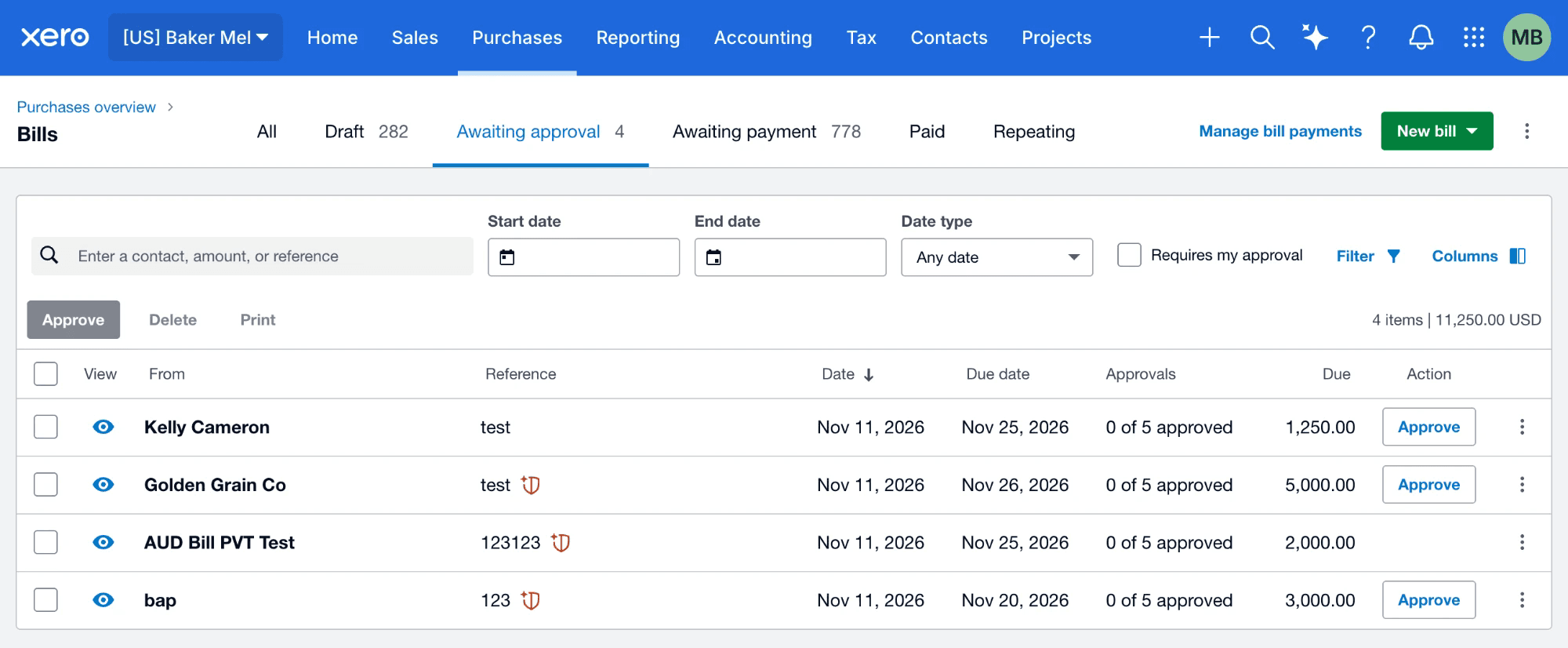
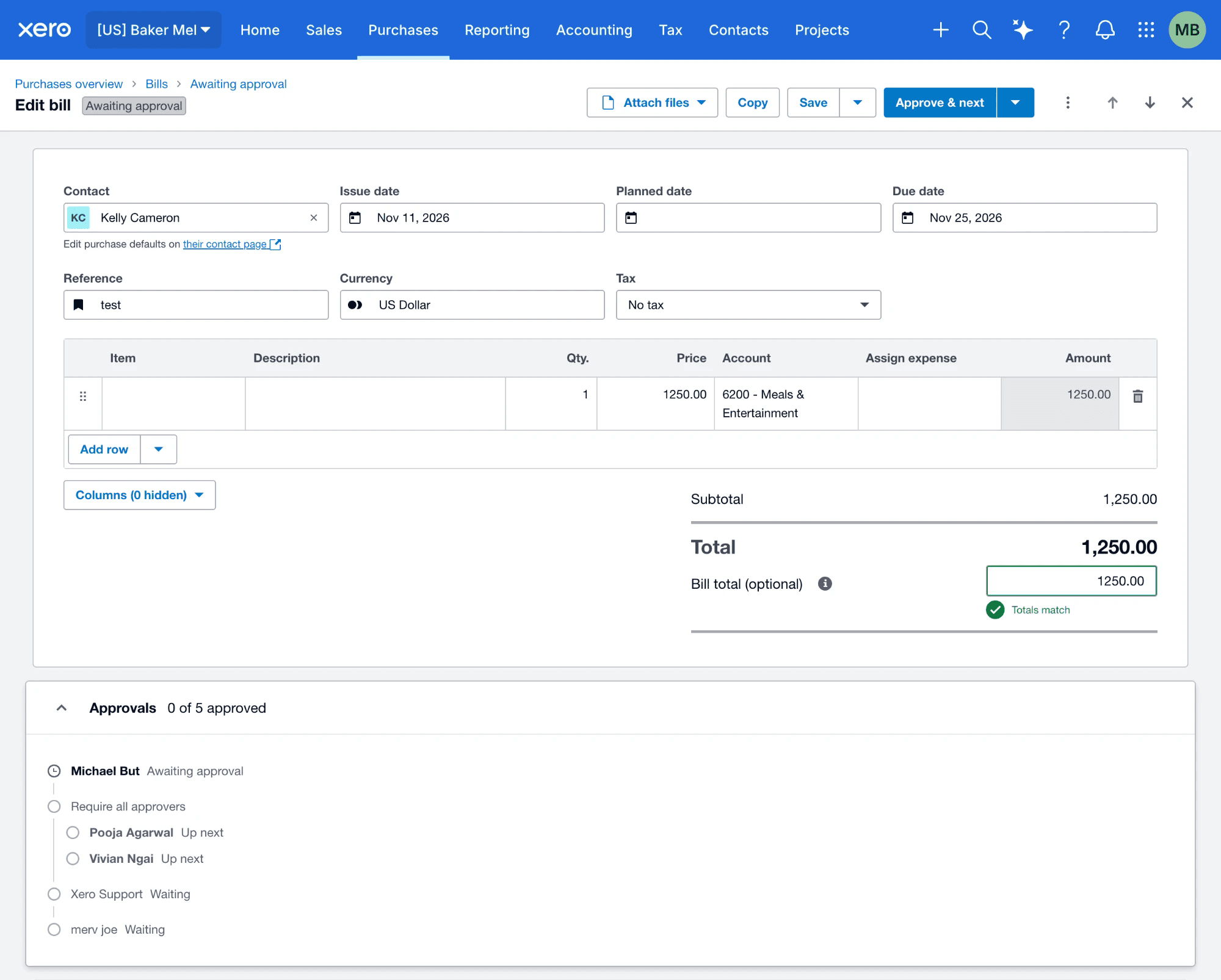
What approving looks like, from the bills list to a rejection.
What I’d explore next
Next, I’d let people create rules by describing them.
This is my own concept, not Xero’s roadmap. The rule engine doesn’t care where a rule comes from, so a rule could start as a plain description, in Xero or in the AI tool someone already uses. The assistant drafts and routes. People approve.
“Not make any decisions without me — just draw my attention to it.” Customer, US · research round 2
Describe it, and Xero builds it
The draft comes back as the same sentence the builder uses, with what it guessed and what it would have caught last month. Nothing is on until someone adds it.
Ask for a rule, and it’s drafted
Connected through MCP, the standard AI tools use to reach other apps. The assistant checks who you mean, drafts the rule and shows what it would have caught. You turn it on.
Approve from wherever you are
Each bill says why it reached you and who approved before you. The decision is recorded in Xero under your name.
From the beta
“The rules for bill approval was actually really easy to set up… I can set up everything I need.
Beta customer, AU
Looking back
The rule builder was the easy part.
Designing the rule screen was easy; the real challenge was making sure the rules worked everywhere bills can be bypassed: mobile, API, and recurring bills. If a rule only applied in some places, it wasn’t a real solution. I wish we’d listed all the routes earlier, instead of finding gaps close to launch and patching them.
The hardest part wasn’t the design, but getting teams to work together, since bill approval belonged to another team. Making the rules work everywhere and getting buy-in across teams was the real work—not just the screen design.